Usually, those fake data submissions or spam subscriptions are performed by automated systems (as, for example, bots) with the intent to publish links or reaching users via email to promote something.
With the aim of preventing those submissions, our Plugin provides many tools, such as captchas, address blacklists, email validation etc.
Important notes:
- some methods to prevent spam and other malicious attempts to submit data can create technical incompatibilities or other issues, so make sure that you test them before enforcing them. For example, the Cross-site request forgery (CSRF) block that you can enact by using a token, it is not applicable if forms are part of cached pages.
- Some methods to prevent spam subscriptions could make your subscription process less fluid, as the user is asked to process more actions (for example when captcha is used).
What's inside
1. Before we start, here you have some useful tips!
There are two easy steps that you may want to take when you set up your newsletter, as they are generally free and help in managing spam subscriptions.
The first, is to control the IP addresses. Subscriptions always start with a remote IP address and there are several free services that list bad IP addresses. Many providers also offer protection from traffic coming from unsecured addresses. Ask your provider which system they use to address this kind of problems, as they are not only related to fake subscriptions but even to bad traffic, hack attempts, and so on.
The second recommendation is to install a firewall plugin. Firewall plugins, as for example WordFence (but there are many others), are able to block untrusted traffic and some hack attempts.
2. Tools available in Newsletter
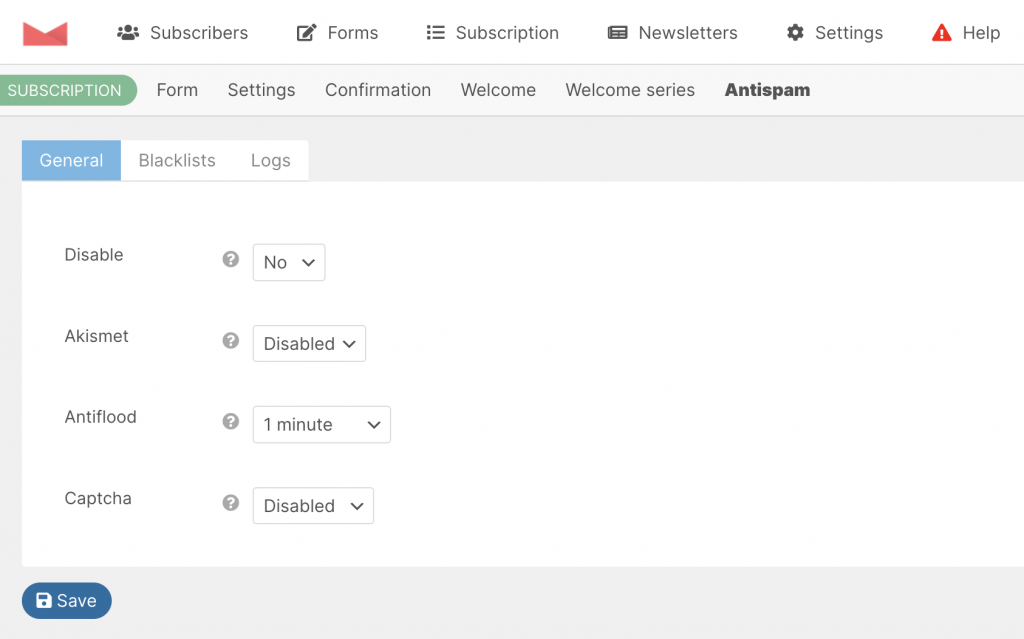
Newsletter has several options that intercept and block fake subscriptions. This security system is active by default, but you may check the page “Antispam” ( Newsletter - Subscription - Antispam ) to make sure that all the anti-bot tools are in place and to change its configuration.
Akismet integration
Akismet is a spam-checking service available with the plugin Akismet preinstalled on every WordPress blog. It can be activated freely, you just need to sign up to get a free license.
If the plugin is active, Newsletter can use it to check every subscription and eventually block it if Akismet signals a high probability of spam. The Akismet integration can be enabled in the security panel, inside the Newsletter dashboard.
Important note: Akismet analyzes the subscriber name, email address, and IP address to decide whether it is spam or not. We don’t know how Akismet decides if a subscription is spam or not and we can not control it. Therefore, we have no control over its outcomes.
Captcha
Newsletter provides a simple captcha system that can be enabled if bots are hitting hard. The captcha is not shown on subscription forms, but adds a second subscription step where the captcha is displayed. That grants that every subscription is validated by a captcha even when the form is located in another site, for example, when you are using a single blog as the central collector for subscriptions coming from other sites.
Email address/domain blacklist
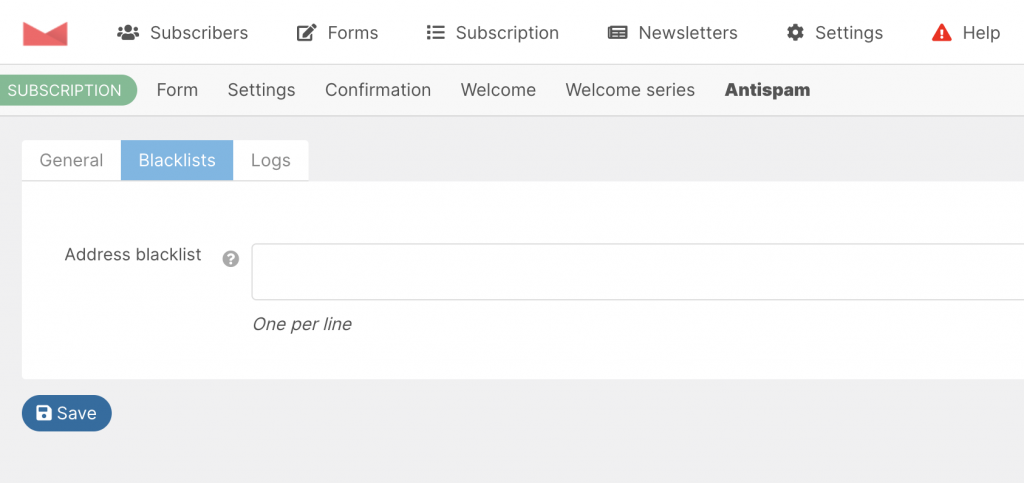
The address black list helps in blocking subscriptions from specific email addresses and/or domains. The match is “ends with” and they must be entered one per line.
So, if you want to block every subscription from the domain “mail.ru” just enter @mail.ru since that is how those addresses end. If you want to block a specific address, add it to the list (eg. name@domain.com).
This filter is applied only to web or API subscriptions, not to imported addresses using the import feature or the Advanced Import addon.
Antiflood
The antiflood system blocks repeated subscriptions with the same email address or from the same IP address.
A subscription flood occurs when an automated system attempts to subscribe a large number of email addresses (usually fake) within a short period. This presents a problem, as for each subscription, you will send a confirmation or welcome email, resulting in a large number of emails that will likely generate bounces or complaints.
This system can set how quickly two subscriptions for the same email address or the same IP address can be accepted. For example, if you set the antiflood to 5 seconds, this time represents the minimum interval Newsletter will wait to accept a second subscription matching the same address or IP address.
Important notes:
We suggest setting the antiflood system to 1 minute or more. By default it is set to 5 seconds, allowing you to perform all the initial tests without trouble. The only issue you can face if you increase the antiflood value, could be with subscriptions coming from the same office, where people share (usually) the same external IP address.
If you have more than one subscription form on your site on different pages and with different purposes (for example different forms to subscribe to different lists), the antiflood system may prevent a new subscription through a different form if performed too quickly. Read more about repeated subscriptions here.